4th AAAG PFM Convention · Itinerary submission

Submit your itinerary

Submit your arrival, departure and hotel details using the AAAG account linked to your event registration. Follow these illustrated steps.

Steps 1–2

Sign in to your account
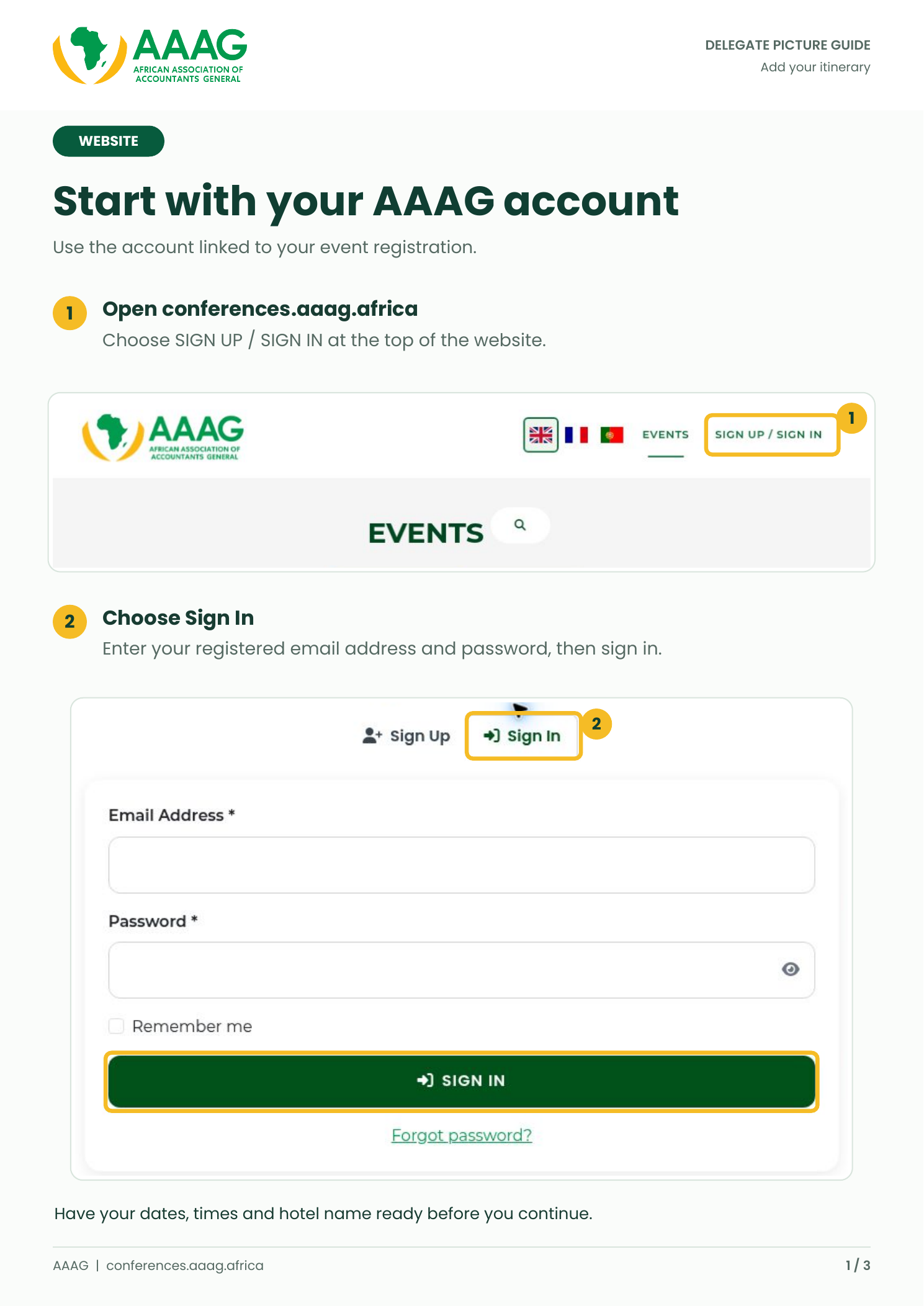
Guide page 1 of 3: open conferences.aaag.africa, select SIGN UP / SIGN IN, then sign in with the account used for your event registration.
Open guide 1 full size ↗

Open conferences.aaag.africa and choose SIGN UP / SIGN IN. Use your registered email address and password.

Steps 3–4

Find your event

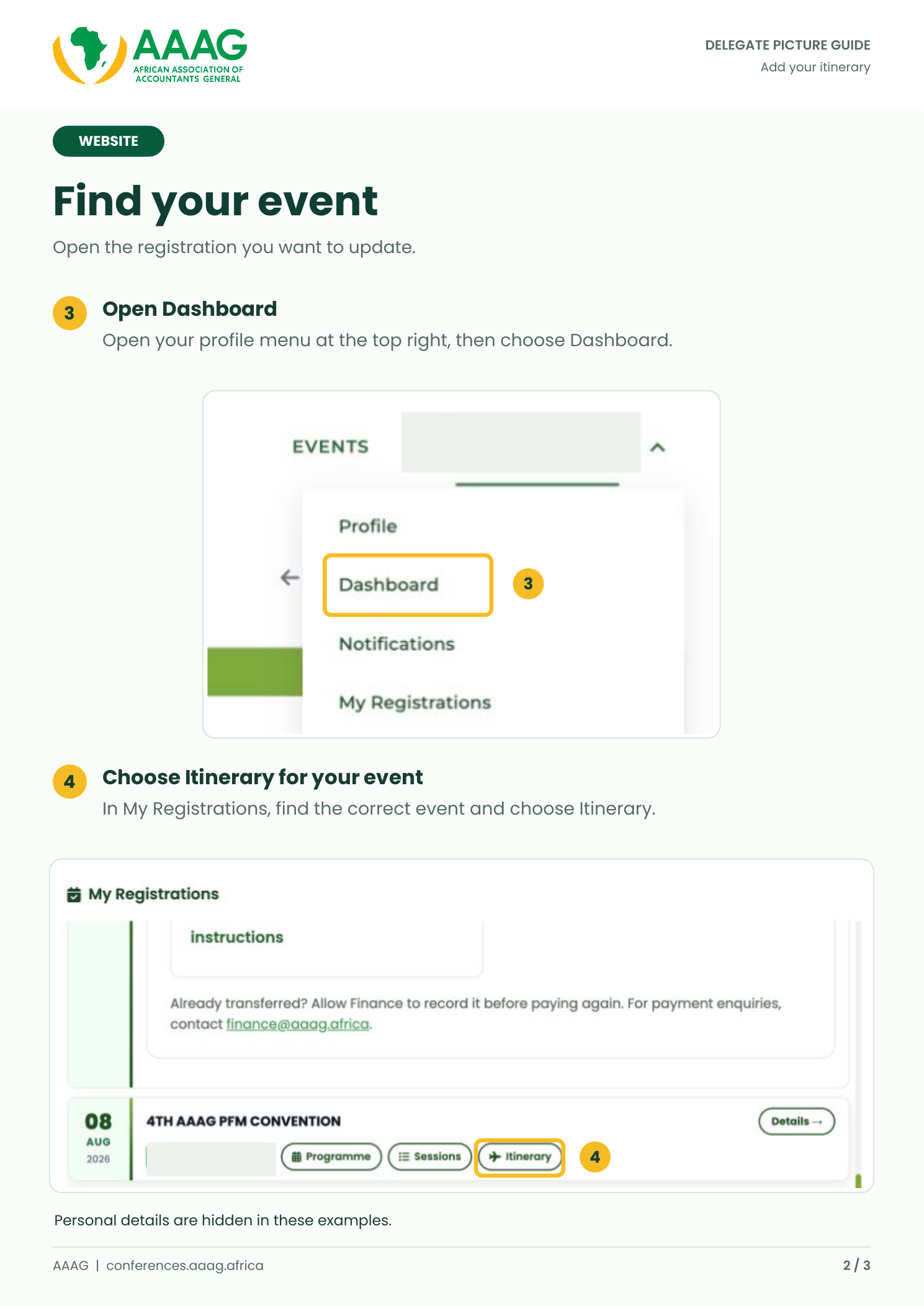
Guide page 2 of 3: open your profile menu, choose Dashboard, find your event in My Registrations and select Itinerary.
Open guide 2 full size ↗

From your profile menu, choose Dashboard. Under My Registrations, find your event and select Itinerary.

Steps 5–6

Complete and save

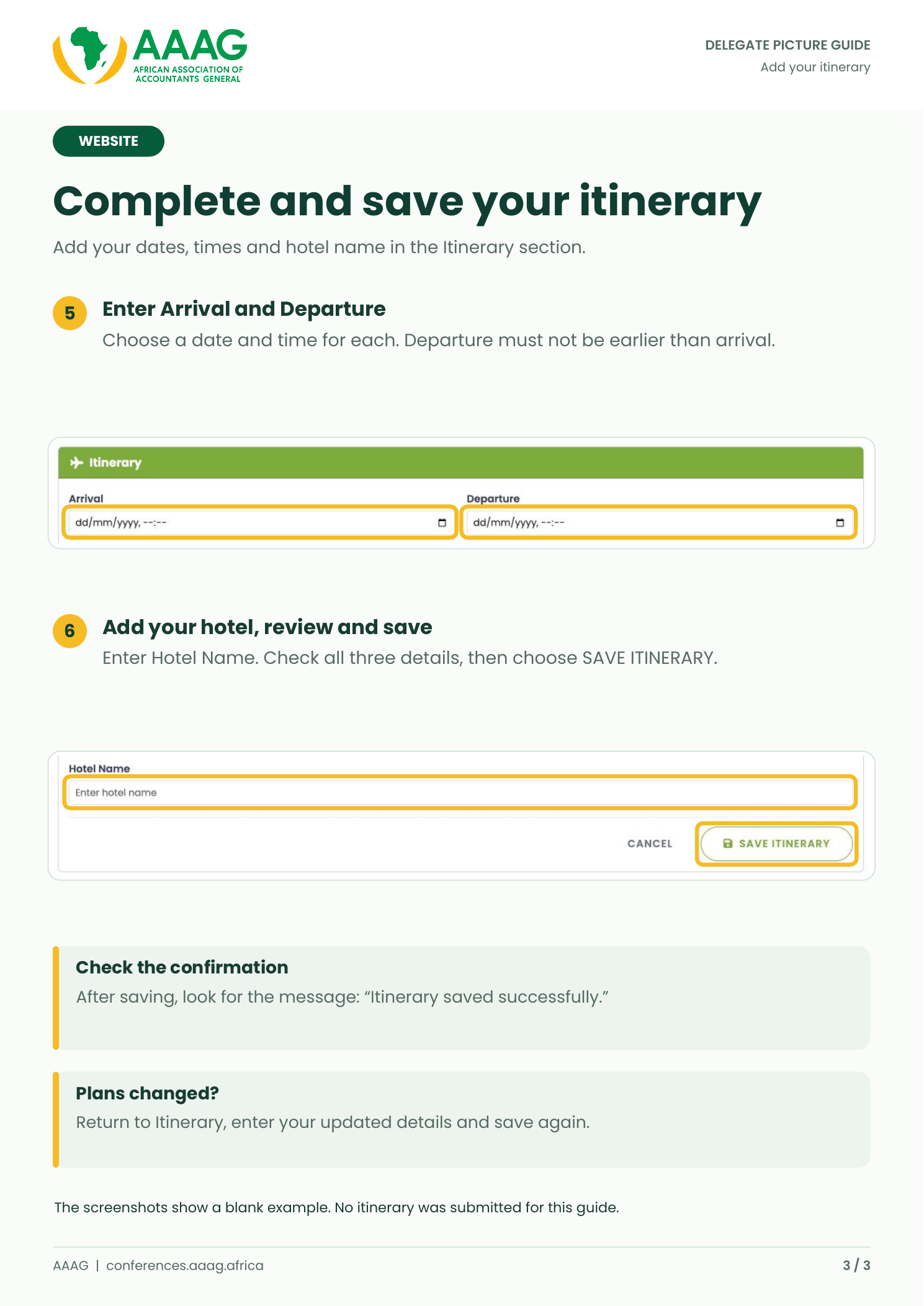
Guide page 3 of 3: enter arrival and departure dates and times, add your hotel name, select SAVE ITINERARY, and check for the success message.
Open guide 3 full size ↗

Enter your arrival, departure and hotel name. Review the details, choose SAVE ITINERARY and check the confirmation.

Video walkthrough

Watch how to submit your itinerary

The video starts automatically with sound muted where your browser allows it. Use the YouTube controls to turn on sound, pause or replay. If autoplay is blocked, select Play.

Video not playing? Watch on YouTube ↗.

Ready to submit your itinerary?

Have your travel dates, times and hotel name ready. Sign in and open your event’s Itinerary section.

Sign in to submit itinerary ↗

Check your details: departure must not be earlier than arrival. After saving: look for “Itinerary saved successfully.” If your plans change, return to Itinerary, update your details and save again.